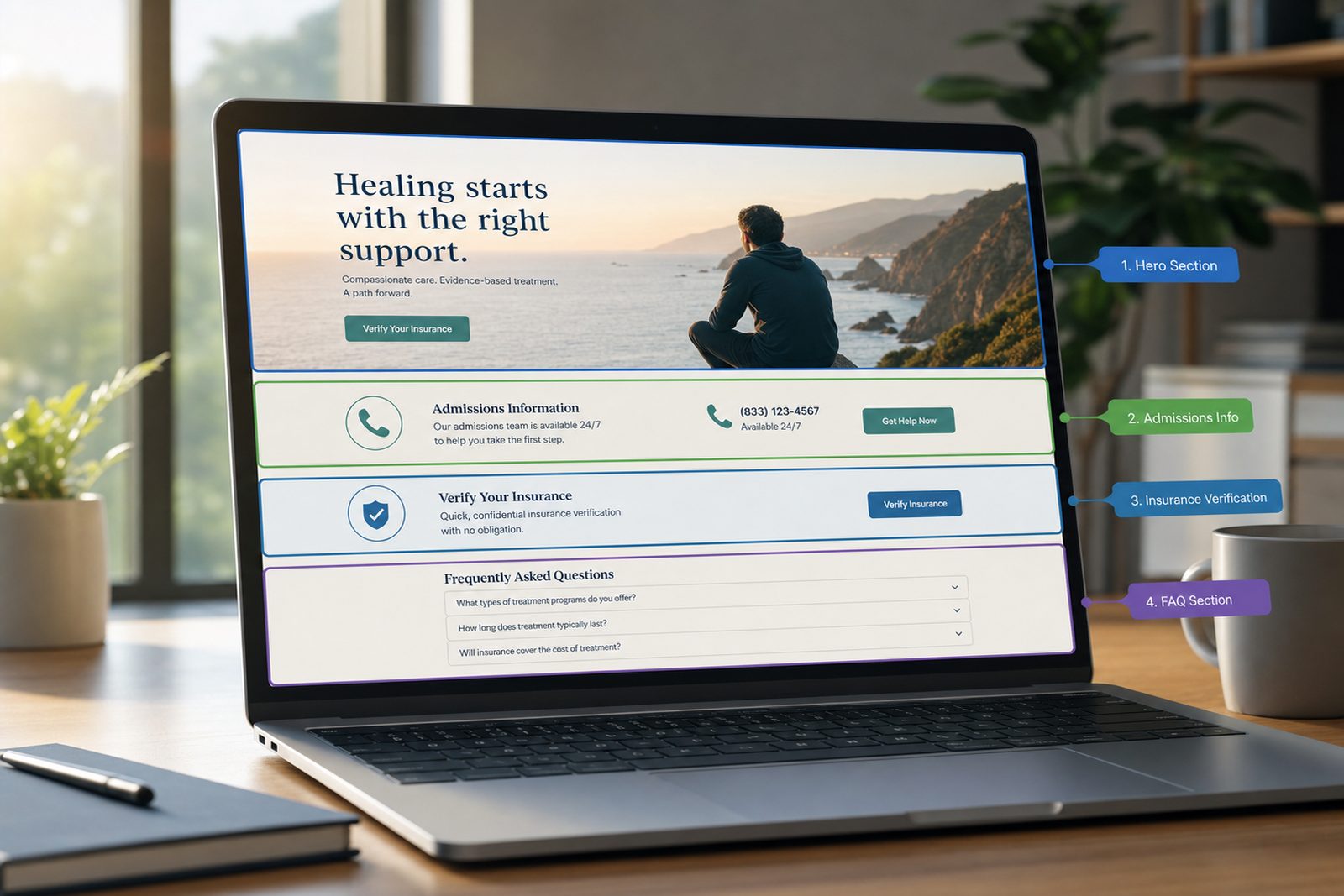
A redesign can make an addiction treatment website easier to use and much harder to find at the same time. The usual failure is not the new color palette. It is a missing service page, a changed URL with no fitting redirect, a staging `noindex` left in production, a form that looks successful but sends nowhere, or approved treatment copy shortened until an important limitation disappears. Each problem crosses a different ownership boundary, so a visual signoff cannot serve as release approval.
The safest redesign starts with parity. Capture what the existing site does before replacing it: URLs, status codes, titles, canonical tags, sitemap membership, internal links, visible content, schema, images, files, phone numbers, forms, analytics, consent behavior, and Search Console proof. Then mark what is preserved, intentionally changed, merged, or retired. The addiction treatment SEO program, treatment center web design service, and technical SEO service share this parity requirement so the experience can improve without silently changing the facts architecture.
Google recommends preparing a URL mapping before moves, testing the new site, using fitting permanent redirects, updating internal links and canonicals, submitting the new sitemap, and checking afterward. It also says significant changes can produce temporary search fluctuations. No checklist can promise ranking preservation. It can reduce avoidable damage, create a clear rollback path, and show exactly which release boundaries passed or remain unverified. Use the addiction treatment SEO audit checklist to establish the prelaunch evidence set.
How can a treatment center redesign a website without losing SEO visibility?
Preserve working URLs, search intent, core content, and internal discovery paths unless proof supports a change. When URLs must change, use a reviewed one-to-one map, fitting permanent redirects, updated canonicals and links, and post-launch checks.
Crawl the current production site and combine that inventory with XML sitemaps, analytics landing pages, Search Console pages and queries, backlink exports, paid campaign destinations, and business-owned documents. Give each URL an action: keep, update in place, merge, move, retire, or investigate. Record its primary intent, lead path, approved facts, content owner, important internal links, external-link proof, and current search performance window. This prevents a developer from deleting an old-looking page that still answers a distinct question or receives qualified visits.
Preservation does not mean freezing weak pages. It means changing them deliberately. A page can receive a new layout, clearer answer blocks, better navigation, accessible controls, and reviewed copy while retaining its canonical URL and core intent. If two pages genuinely overlap, document which one becomes the destination and why. If a URL changes, map the old address to the closest useful replacement rather than the home page. Keep the mapping under version control and have SEO, content, and development owners approve it before templates are wired. After launch, compare the live crawl with the baseline instead of relying on memory or a list of redesigned templates.
How does web design affect search access, trust, and lead?
Design affects what people and crawlers can reach, read, understand, and use. Navigation, visible text, mobile behavior, speed, accessibility, form states, and component markup can strengthen or damage an otherwise sound content and URL plan.
A treatment page built as an image-heavy showcase may hide its most useful explanation inside graphics or interactions that fail to expose text reliably. A mobile menu can omit services that appear on desktop. Decorative heading choices can break document hierarchy. A sticky call button can cover consent language or form errors. Large media can delay the primary content and make a distressed visitor abandon the page. Google advises developers to make meaningful content textually visible, and its Core Web Vitals guidance focuses on loading, interaction, and visual stability measurements. Those are inputs to assess, not a promise of better rankings.
Trust is also expressed through consistency. The redesign should preserve the approved business name, contact details, locations, staff roles, credentials, service scope, review ownership, policy access, and disclosures. Structured data must describe what users can see, not an expanded marketing version of it. Calls to action should state what happens next and should not imply immediate admission, insurance signoff, or continuous availability unless those facts are approved. Test reading order, keyboard access, focus states, contrast, error messaging, and tap targets with real components. A beautiful page that blocks a user from contacting the center has failed its primary job.
What belongs in the URL, canonical, and redirect map?
Record every old URL, approved destination, action, redirect code, canonical target, sitemap state, internal-link updates, owner, test result, and rollback note. Unmapped URLs should block launch until they are intentionally resolved.
Export every discoverable URL from crawls, sitemaps, analytics, Search Console, server logs, backlinks, and known campaign lists. Normalize host, protocol, case, trailing slash, parameters, and fragments without erasing meaningful variants. Each row should include the current response, canonical, index status, page purpose, search and referral proof, and proposed destination. A keep row stays at the same public URL. A move row receives one fitting permanent redirect. A merge row names the consolidated page and confirms that it covers the retired intent. A retire row returns a proper 404 or 410 when no close replacement exists.
Google warns against redirecting many old URLs to an irrelevant destination because that can confuse users and be treated as a soft 404. It also recommends updating internal links, canonicals, and sitemaps to the new addresses. Test direct redirects and chains in bulk, then manually inspect high-value and edge-case rows. Canonicals on new pages should use production URLs, and staging hosts must not appear in source, headers, sitemap files, structured data, or sharing metadata. Preserve query parameters needed by campaigns and measurement, but do not let tracking variations become canonical pages. Record who can change server rules and how the team restores the prior map if launch behavior differs from the approved plan.
How should forms, phone routing, analytics, and tracking be tested?
Test each lead path from visible control to final receipt. Confirm correct numbers, routing, field check, submission delivery, confirmation, analytics events, consent behavior, vendor data flow, and failure recovery with approved non-patient test data.
Build a lead parity sheet before development. List every call button, displayed number, form, chat tool, scheduler, map, insurance inquiry, and referral path on the existing site. Record the destination, responsible team, expected hours or availability language, required fields, notification recipients, data store, confirmation behavior, and event name. In the new build, test each item on supported mobile and desktop browsers. Use clearly labeled test details and avoid real health facts. Verify server signoff and downstream receipt, since a client-side success message alone proves little.
Inventory all analytics and advertising scripts at the network-request level as well as in the tag manager interface. A redesign can duplicate containers, drop consent settings, pass form values into URLs, or add session replay and chat vendors without a reviewed data map. HHS maintains official tracking-technology guidance for regulated entities and displays a court-related limitation on part of that guidance. Applicability and configuration decisions belong with qualified legal, privacy, and compliance owners. The release checklist should state which tags were found, what data they receive, who approved them, and what was not checked. It should never claim compliance merely because a scanner returned no warnings.
How do you preserve content, schema, and health-facts trust signals?
Compare old and new pages field by field. Preserve supported facts, reviewer context, source citations, author facts, policies, and visible content that serves the intent. Update schema only after the public page supports it.
Create a content parity diff for every priority page. Compare the H1, title, meta description, main sections, FAQs, author or reviewer details, revision date, cited sources, images and alt text, calls to action, and internal links. Mark every removed paragraph as intentional or restore it. Shorter copy is not automatically clearer. On health-related pages, a deleted qualification can change the meaning of safety or eligibility facts. Tie sensitive statements to the center's facts register and current primary sources. Require the named content and clinical owners to accept the final rendered page, not a draft detached from design.
Schema follows the visible page. Review Organization, LocalBusiness, Service, Article, FAQ, Breadcrumb, person, and review-related markup used by the current site, but keep only types and properties the new page can support. Validate syntax and inspect the rendered output. Rich-result eligibility can change, and valid markup does not guarantee a search feature. Keep policy, contact, about, editorial, and accessibility pages reachable in the new navigation or footer where right. Trust is not a badge row. It comes from accurate identities, claims, sources, ownership, and working user paths that remain consistent across the site.
What should happen during launch, checks, and rollback?
Launch in a controlled window, remove temporary blocks, deploy the approved redirect and canonical map, run the critical-path tests immediately, and roll back when defined indexability, lead, or data-integrity failures occur.
Before release, freeze the approved build and record the commit, deployment target, environment, configuration, sitemap counts, and baseline test results. Lower-risk launches may use a representative canary or phased migration when the infrastructure supports it. Confirm production robots rules, `noindex` removal, canonical host, TLS behavior, redirect rules, Search Console checks, analytics configuration, form secrets, notification destinations, and server capacity. Prepare the old deployment, redirect file, and data configuration for restoration. A rollback plan is useful only when the team knows who can trigger it and which failures justify the decision.
After release, fetch priority URLs and representative templates from outside the build environment. Compare status, redirect, canonical, robots, heading, visible content, schema, phone, form, tag, and sitemap results with the approved record. Google recommends testing redirects, submitting the new sitemap, and checks traffic and indexing during a move. Keep deployment, live checks, sitemap submission, indexing status, search performance, form receipt, and analytics receipt as separate facts. Roll back or apply an emergency repair when primary pages are broadly blocked, redirects misroute critical URLs, forms fail, or sensitive data appears in an unapproved destination. Continue scheduled checks after the immediate smoke test because crawlers and users will expose patterns that a small launch sample misses.
The release control record
Use one signed record to connect the baseline, approved change, test receipt, owner, and rollback decision. The checklist below is a working asset, not a claim that redesign risk can be reduced to a single score.
- Baseline: save the production crawl, sitemap set, URL counts, status and canonical map, priority landing-page metrics, backlink destinations, forms, phone numbers, analytics events, schema inventory, and approved content snapshots with collection dates.
- Disposition map: give every URL a keep, update, merge, move, retire, or investigate decision. Require a primary intent, destination, redirect behavior, canonical, sitemap state, internal-link action, approver, and rollback note for all changed rows.
- Content parity: compare visible headings, core text, claims, qualifications, sources, reviewers, policies, images, files, and calls to action. Flag unsupported additions and accidental deletions for the responsible content or clinical owner.
- Lead parity: test calls, forms, chat, scheduling, insurance inquiries, referral routes, error states, notifications, confirmations, and approved events from mobile and desktop. Attach downstream receipts rather than accepting only a visual success state.
- Technical signoff: run the production build, broken-link check, schema check, accessibility checks, sitemap check, redirect test, canonical-host test, robots and `noindex` scan, page-speed sample, and staging-host string search before approval.
- Launch receipt: record commit, deployment ID, public alias, time, operator, configuration version, and initial smoke-test results. A successful deployment command is not proof that the correct domain serves the approved pages.
- Rollback triggers: define broad index blocking, critical redirect errors, failed primary leads, lost approved content, exposed sensitive data, broken tracking needed for operations, and severe availability problems as explicit decision inputs before launch.
- Post-launch checks: recheck priority URLs, redirect logs, 404 patterns, forms, calls, tags, Core Web Vitals field data when available, Search Console reports, and sitemap state on a dated schedule. Report temporary fluctuations without promising recovery dates.
Sources and further reading
These are the primary sources referenced in this article. Each is an authoritative documentation page or publication we verified before citing.
- Google's site move guide: Documents URL mapping, fitting redirects, internal-link updates, sitemap submission, checks, and expected fluctuations.
- Google's hosting migration guide: Documents prelaunch testing, temporary crawl blocks, Search Console checks, and infrastructure checks.
- Google's canonicalization guide: Explains supported canonical signals and the need for consistent URLs across methods.
- Google's Core Web Vitals guide: Defines current loading, interaction, and visual-stability measurements used in page experience review.
- Google's search guide for developers: Explains crawlable links, visible text, index controls, and sitemap updates for web builds.
- HHS online tracking technology guidance: Provides current official guidance and a court-related notice for regulated-entity review.